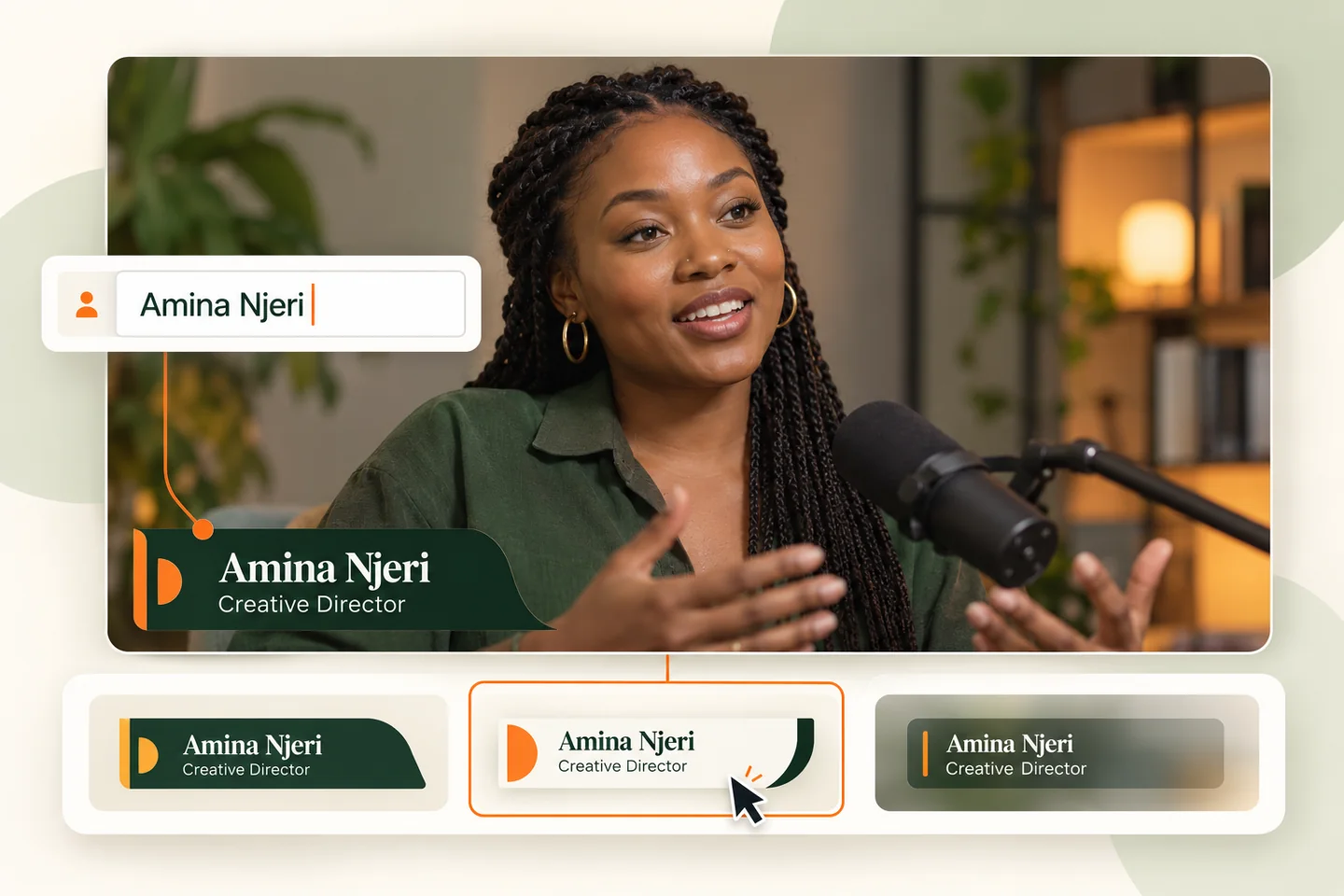
Lower third overlays: what they are and how to use them.
A practical guide to speaker names, titles and on-screen context for your next live production.
Lower thirds · Speaker names and titles in context
What is a lower third?
A lower third overlay is a graphic placed over video, generally near the bottom of the frame. It identifies a speaker or provides information while leaving the main picture visible. Names, titles, locations and segment labels are common uses.
Where can you use lower thirds?
Use speaker graphics in interviews, church live streams, conferences, podcasts and panel discussions. A consistent layout helps an audience recognise each speaker and follow a changing conversation.
What makes a readable overlay?
Keep the name prominent and the title secondary. Use strong contrast, leave comfortable space around text and check the graphic at the size your audience will actually watch. Test long names and avoid placing text against the screen edge.
Static or editable?
A static lower third is usually prepared as an image or video. An editable overlay lets you change text and styling without exporting another file. The editor includes live text editing, six visual styles and a preset saved in your browser.
Lower third overlays for OBS and vMix
The intended production workflow uses a transparent browser source. The editor synchronizes between tabs in the same browser profile. OBS and vMix have separate browser environments, so cloud synchronization is still required for a direct, controlled browser-source output.